Step 1 - Installing the Blender Add-on
Overview:
Before we can import Kerbal Space Program ships into Blender, we first need to install the KSP Blender add-on. This add-on allows Blender to read craft files and individual game parts so they can be edited, rendered, or animated.
Open the Add-on Installer
Once the add-on ZIP file has finished downloading, open Blender.
To install the add-on:
- Click Edit in the top menu.
- Select Preferences.
- Navigate to the Add-ons tab.
- Click Install.
- Select io_object_mu-master.zip in downloads.
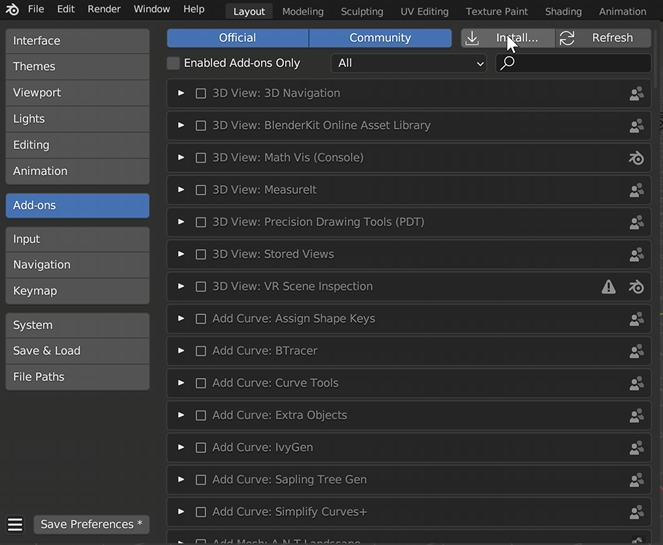
After clicking install, locate the downloaded add-on ZIP file and select it.
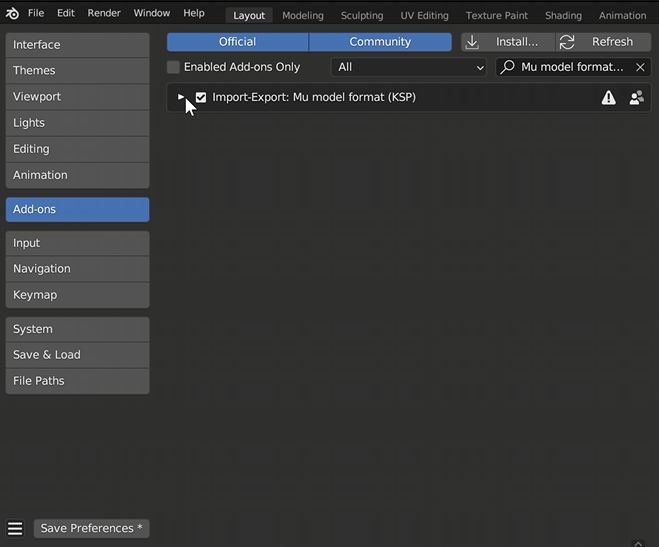
Once installed, make sure the add-on checkbox is enabled so Blender activates it.
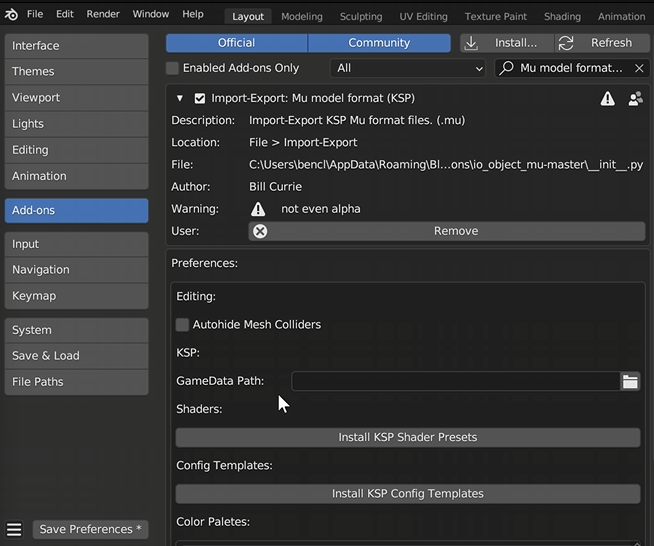
Before closing the Preferences window, expand the newly installed add-on settings. Inside the panel you will see an option labeled GameData Path.
Blender needs to know where your Kerbal Space Program game files are located.
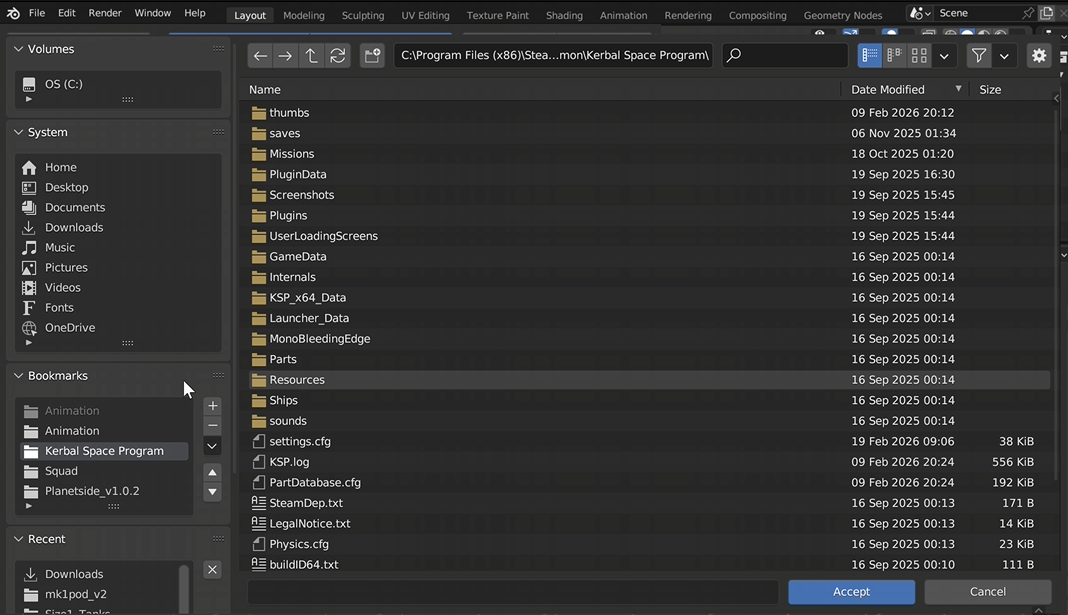
If you installed the game through Steam, you can find it at:
- OS
- Program Files (x86)
- Steam
- SteamApps
- Common
- Kerbal Space Program
Select the GameData folder and click Accept.